In the evolving landscape of software development, quality assurance (QA) continues to play a critical role in delivering reliable, secure, and user-friendly applications. With 2025 upon us, organizations are under increased pressure to release products faster and more efficiently. This has elevated the debate: Manual testing vs Automation — which is better, and how do you balance the two?
While both methods have their strengths, the best QA strategies integrate both, aligning with business goals, project timelines, and the complexity of the software. This article explores the differences between manual and automated testing, their respective benefits and limitations, and best practices for combining them effectively in 2025.
What Is Manual Testing?

Manual testing is the process of testing software manually, without the use of scripts or automation tools. QA engineers perform test cases from the end-user’s perspective to ensure the application behaves as expected.
Key Benefits of Manual Testing
- Human Insight: Best for exploratory, usability, and ad-hoc testing where human intuition is needed.
- Flexibility: Easily adapts to changes without requiring code modifications.
- Initial Development Stages: Ideal for early-stage development where the application is still evolving.
Drawbacks of Manual Testing
- Time-consuming: Repetitive tests can be slow and inefficient.
- Prone to Human Error: Test consistency may vary across testers.
- Scalability Issues: Not ideal for large-scale or continuous testing scenarios.
What Is Automated Testing?
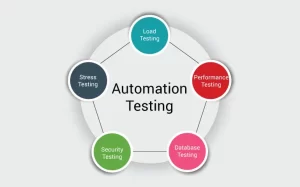
Automated testing uses scripts and tools to perform tests on software. It is especially useful for repetitive tasks, regression tests, and load testing.
Key Benefits of Automated Testing
- Speed and Efficiency: Executes tests faster and can be run 24/7.
- Reusability: Test scripts can be reused across multiple test cycles.
- Scalability: Easily handles large test suites and frequent builds.
- CI/CD Integration: Supports continuous integration and delivery pipelines, enabling faster deployment.
Drawbacks of Automated Testing
- High Initial Investment: Requires time and resources to set up.
- Maintenance Overhead: Scripts need regular updates when the application changes.
- Limited in UI/UX Validation: Can’t easily replicate human judgement for design, accessibility, or usability.
Manual vs Automation: When to Use Each in 2025
In 2025, QA teams are expected to move faster than ever while maintaining quality. The key lies in choosing the right approach for the right scenario.
| Scenario | Best Approach |
| Exploratory testing | Manual |
| Regression testing | Automated |
| Cross-browser/device testing | Automated |
| Usability testing | Manual |
| Smoke and sanity tests | Automated |
| New feature testing | Manual initially, automated later |
| Performance/load testing | Automated |
| Ad-hoc testing | Manual |
Takeaway: Use manual testing for flexibility and human insight. Use automation for speed, scale, and consistency.
Best Practices for QA in 2025
As QA evolves with AI, DevOps, and Agile practices, these are some top QA best practices to follow this year:
-
Build a Balanced QA Strategy
Don’t put all your eggs in one basket. An effective QA plan includes a hybrid model that combines manual and automated testing. Assess the test scope, budget, and release frequency to decide the ratio.
Tip: Use automation for stable, repeatable tests and manual testing for areas needing user experience feedback.
-
Shift Testing Left
In 2025, the “Shift Left” approach is more relevant than ever. Testing early in the development cycle reduces costs and bugs down the line.
Practice: Involve QA teams from the requirement-gathering phase. Integrate unit and integration tests into your CI pipeline.
-
Use AI-Powered Testing Tools
Leverage AI tools to improve test coverage, predict defects, and even write test cases. Tools like Testim, Functionize, and Mabl use machine learning to create more adaptive tests and faster bug detection.
-
Keep Test Cases Maintainable
Both manual and automated test cases must be easy to understand and maintain. Avoid complex, monolithic scripts that break with every UI change.
Best practice: Use modular, data-driven, or keyword-driven frameworks to enhance test maintainability and scalability.
-
Prioritize Test Cases for Automation
Not everything should be automated. Focus on:
- High-priority and high-risk areas
- Repetitive and time-consuming test cases
- Tests that require large datasets
- Scenarios with stable requirements
-
Continuously Review and Update Test Suites
In fast-paced agile environments, outdated tests can be worse than no tests. Make regular reviews part of your sprint planning and backlog grooming.
-
Monitor Metrics & KPIs
Measure the effectiveness of your QA strategy. Key metrics to track:
- Test coverage
- Defect density
- Automation pass/fail rate
- Time to detect and fix bugs
- Regression failure trends
-
Invest in Cross-Skilling Your QA Team
Modern QA roles demand both scripting and analytical skills. Encourage testers to learn test automation, performance testing, and DevOps basics to stay relevant in 2025.
-
Ensure Test Data Management
Automated tests often fail due to missing or outdated test data. Set up a robust test data management strategy that allows for reliable, repeatable tests.
-
Integrate Testing into DevOps
Testing isn’t a separate phase anymore. Automated tests should be part of your CI/CD pipeline. Use tools like Jenkins, CircleCI, GitLab CI/CD, and Azure DevOps for seamless integration.
QA Tools to Consider in 2025
Here are some popular tools in 2025 for both manual and automated testing:
Manual Testing Tools:
- TestRail
- PractiTest
- Zephyr
- TestLink
- Automation Tools:
- Selenium (with Python/Java)
- Playwright
- Cypress
- TestComplete
- Appium (for mobile)
- Katalon Studio
- Tosca
- AI-Powered Tools:
- Testim
- Mabl
- Functionize
- Applitools (visual testing)
Conclusion
In 2025, the question isn’t whether to choose manual testing or automation, but how to smartly combine both. Each has a critical role in ensuring software quality. Manual testing brings human insight and flexibility, while automation brings speed and reliability. The best QA teams will use both strategically, backed by AI, smart tools, and a commitment to continuous learning.
By following the best practices outlined above and keeping your QA strategy agile and adaptable, your team can confidently deliver high-quality software at the speed the modern market demands.
FAQs on QA Manual Testing vs Automation (2025)
Q. Can automation completely replace manual testing in 2025?
A: No. While automation is powerful, manual testing is still essential for usability, exploratory, and user-interface feedback.
Q. Which is more cost-effective — manual or automation?
A: In the long run, automation is more cost-effective for repetitive tasks, but manual testing is cheaper for short-term or early-stage projects.
Q. How do I decide what to automate?
A: Automate tests that are repeatable, stable, data-driven, and critical to your application’s core functionality.
Q. Is AI replacing QA testers?
A: No, but AI is assisting QA by improving speed and accuracy. Human testers are still needed for logic, creativity, and business context.
Q. What skills should QA testers have in 2025?
A: Testers should know basic coding (for automation), understand CI/CD pipelines, be familiar with tools like Selenium or Cypress, and have strong analytical and communication skills.
Q. Is manual testing outdated?
A: Not at all. Manual testing remains crucial, especially for areas where human intuition and user experience matter most.
Q. How can I transition from manual to automation testing?
A: Start by learning scripting languages like Python or Java, pick a framework (like Selenium), and automate simple test cases first.