In today’s fast-paced software development landscape, delivering stable, user-friendly, and high-quality products is more crucial than ever. Software testing—both manual and automated—plays a central role in ensuring applications meet user expectations and function correctly under real-world conditions. While both testing approaches aim to identify defects and validate functionality, they differ significantly in methodology, application, cost, and long-term benefits.
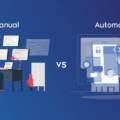
This in-depth guide explains manual vs automation testing, highlights their strengths and limitations, and illustrates each concept using real-life examples to help you understand when and why each approach is ideal.
What Is Manual Testing?
Manual testing is the process of evaluating software applications without using automation tools. Testers execute test cases step-by-step, interact with the user interface, and observe system behavior. This approach relies heavily on human judgment, creativity, and experience.
Common Scenarios for Manual Testing
- User interface (UI) and user experience (UX) evaluation
- Exploratory testing
- Ad-hoc testing
- Testing early prototypes or unstable software
- Validating complex scenarios requiring human intuition
Real-Life Example of Manual Testing
Imagine a food delivery app that has just implemented a new “Schedule Delivery” feature. The UI is changing rapidly, and the feature has several user paths. A manual tester would:
- Try scheduling at different times
- Test invalid entries
- Observe whether error messages are intuitive
- Check if the flow feels natural for users
Because UI elements are evolving daily, writing and maintaining automation scripts at this stage would be inefficient. Human testers quickly adapt and uncover usability issues that automation wouldn’t detect.
What Is Automation Testing?
Automation testing uses scripts, tools, and frameworks to execute tests automatically. It is ideal for repetitive, large-scale, or performance-based testing scenarios. Automation improves accuracy, improves test coverage, and accelerates development cycles—especially in Agile and DevOps environments.
Common Scenarios for Automation Testing
- Regression testing
- Smoke and sanity testing
- Performance and load testing
- API testing
- Repetitive functional checks across versions
- Continuous Integration/Continuous Deployment (CI/CD) pipelines
Real-Life Example of Automation Testing
Consider an online banking application. Every time developers update a module—such as loan processing or fund transfer—a set of existing functionalities must be rechecked. Automated test scripts can:
- Validate login functionality
- Test account balance updates
- Check transaction histories
- Ensure interest calculation logic remains correct
Running these tests manually after every code change would be slow and error-prone. Automation ensures quick, reliable verification with every build.
Key Differences Between Manual and Automation Testing
| Aspect | Manual Testing | Automation Testing |
| Execution Speed | Slower | Very fast |
| Human Insight | High | Low |
| Reusability | Low | High |
| Initial Cost | Low | High |
| Long-Term Cost | High | Low |
| Error Margin | Higher | Lower |
| When Useful? | Exploratory, usability, initial builds | Regression, performance, scaling |
Advantages of Manual Testing
1. Human-Centric Evaluation
Manual testing offers real-time human feedback, making it ideal for UX, visual checks, and emotional responses that automation cannot interpret.
2. Flexibility
Testers can adapt on the fly—especially helpful in early development stages when features are still being defined.
3. Powerful Exploratory Testing
Testers can explore unexpected scenarios and identify hidden bugs by mimicking real user behavior.
4. No Initial Setup Required
No tools, frameworks, or scripting knowledge is needed, making manual testing easy to start.
Advantages of Automation Testing
1. Speed and Efficiency
Automation significantly reduces execution time for large test suites.
2. High Accuracy
Scripts follow exact instructions, reducing human error.
3. Ideal for Repetitive Tasks
Regression tests, smoke tests, and API calls run consistently across multiple environments.
4. Scalability
Automated tests can run simultaneously on hundreds of devices, browsers, and virtual machines.
5. CI/CD Compatibility
Automation keeps DevOps pipelines running smoothly, testing every build automatically.
Limitations of Manual Testing
1. Time-Consuming
Manual execution slows down releases, especially when testing large applications.
2. Less Reliable for Repetitive Tests
Human error increases when testers repeat the same steps repeatedly.
3. Hard to Scale
More testing requires more human resources, increasing cost and complexity.
4. Not Suitable for Performance Testing
Simulating thousands of users manually isn’t practical.
Limitations of Automation Testing
1. High Setup and Maintenance Costs
Creating test scripts takes time, and frequent UI changes require script updates.
2. Limited Human Judgment
Automation cannot evaluate:
- ease of use
- design clarity
- emotional or intuitive feedback
3. Not Ideal for New or Unstable Features
If the UI or logic changes frequently, maintaining automated scripts becomes costly.
Real-Life Comparisons: Manual vs Automation
Example 1: E-Commerce Application Checkout Flow
Manual Testing:
A tester manually tries:
- Adding items to the cart
- Applying discount codes
- Changing delivery options
- Testing various payment methods
This helps assess:
- UI alignment
- Error message clarity
- Page responsiveness under normal use
Automation Testing:
Automated scripts validate:
- Payment gateway logic
- Coupon calculations
- Order number generation
- Transaction integrity
These tests run after every update to ensure nothing breaks.
Conclusion:
Manual testing ensures usability; automation ensures stability across updates.
Example 2: Mobile App Login Functionality
Manual Testing:
Human testers validate:
- Text field alignment
- Keyboard behavior
- Error messages and their readability
- Login speed in real-world conditions
Automation Testing:
Scripts test:
- Valid/invalid credentials
- API response codes
- OAuth token generation
- Rate-limiting checks
Conclusion:
Both approaches complement each other to guarantee a frictionless login experience.
Example 3: Performance Testing a Social Media Platform
Automation Testing Only:
Tools like JMeter or LoadRunner simulate:
- 50,000+ concurrent users
- Notification load
- Feed refresh frequency
- Media upload traffic
Manual testers cannot realistically replicate these conditions.
When Should You Choose Manual or Automation Testing?
Choose Manual Testing When:
- The feature is new and unstable
- UI/UX validation is needed
- Exploratory testing is required
- Test cases change frequently
Choose Automation Testing When:
- Tests are repetitive
- You need fast regression checks
- The product is stable
- The project uses CI/CD pipelines
- Performance and load testing matter
A Balanced Approach: The Hybrid Testing Model
High-performing QA teams use a combination of both methods. A typical workflow:
- Testers explore the feature manually.
- Core test cases are documented and automated.
- Automated tests run continuously.
- Manual testers focus on edge cases and UX issues.
This hybrid strategy maximizes coverage, reduces release cycles, and improves product quality.
Conclusion
Manual and automation testing are not competitors—they are complementary. Manual testing brings human intuition and creativity, making it essential for exploratory and usability testing. Automation testing provides speed, consistency, and scalability, making it indispensable for regression, performance, and CI/CD workflows.
The smartest QA strategy blends both approaches, using automation for efficiency and manual testing for insight. Real-life examples show that each method shines in specific scenarios, and together they create a complete, reliable, and robust testing environment.
Frequently Asked Questions
1. Can automation replace manual testing entirely?
No. Automation cannot evaluate user experience, emotional responses, visual design, or unpredictable scenarios. Manual testing remains essential.
2. Which is more cost-effective—manual or automation testing?
Manual testing is cheaper initially but more expensive long-term for large applications. Automation requires upfront investment but saves time and cost over repeated test cycles.
3. What types of tests should always be automated?
Regression, smoke, performance, load, and API tests benefit most from automation due to their repetitive nature.
4. Do I need programming skills for automation testing?
Most automation frameworks require scripting knowledge, though some low-code/no-code tools are emerging.
5. How do I know when to automate a test case?
Automate tests that are:
- repeated frequently
- stable
- high-risk
- time-consuming
- part of CI/CD pipelines
6. Is manual testing still relevant in Agile and DevOps?
Yes. Manual exploratory testing uncovers critical insights that rigid automation scripts cannot detect, making it crucial even in modern development pipelines.
7. What tools are commonly used for automation testing?
Popular tools include Selenium, Cypress, Playwright, Postman, JMeter, Appium, and TestNG.